Settings per strategy
Each strategy has its own lot, take-profit and stop-loss. You see the dollar value before saving.
You pick the strategies and set the lot, take-profit and stop-loss. Every incoming alert opens on your MT5 account with those settings within seconds.
After you sign up, an admin activates your subscription.
When its conditions appear on the chart, a strategy sends a BUY or SELL alert, with take-profit and stop-loss levels.
For each account the alert is prepared with that account's own lot, take-profit and stop-loss. Strategies or accounts you turned off receive nothing.
The order reaches your MT5 account at your own broker within seconds. You see the result in your panel and profit/loss report.
Example animation: one alert opens on each account with that account's own settings. Accounts that are off receive nothing.
You set it up once. After that you only decide which strategies run.
Create your account with a username, email and password.
An admin activates your subscription; you will see it in your panel.
Enter your server, account number and password, then test the connection with one click.
Turn on the strategies you want and set lot, take-profit and stop-loss. The rest is automatic.
Turning dozens of strategies on and off and changing lot, take-profit and stop-loss takes a few clicks. The page never reloads, so you never lose your place.
Nothing is applied until you press Save; Discard takes it back.
Type your own success threshold and separate Long from Short strategies.
You see what your take-profit and stop-loss are worth before saving.
The panel is built to keep you in control, not to copy alerts blindly.
Each strategy has its own lot, take-profit and stop-loss. You see the dollar value before saving.
When the limit is reached, no new trades open that day.
Stop all copying with one switch and turn it back on when you want.
See Long, Short or two-way strategies and their 3- and 6-month success rates.
Get notified when a success rate changes or a new strategy is added.
The Profit / Loss screen collects every closed trade. Pick a period and see your net result, the daily chart and which symbol earned the most at a glance.
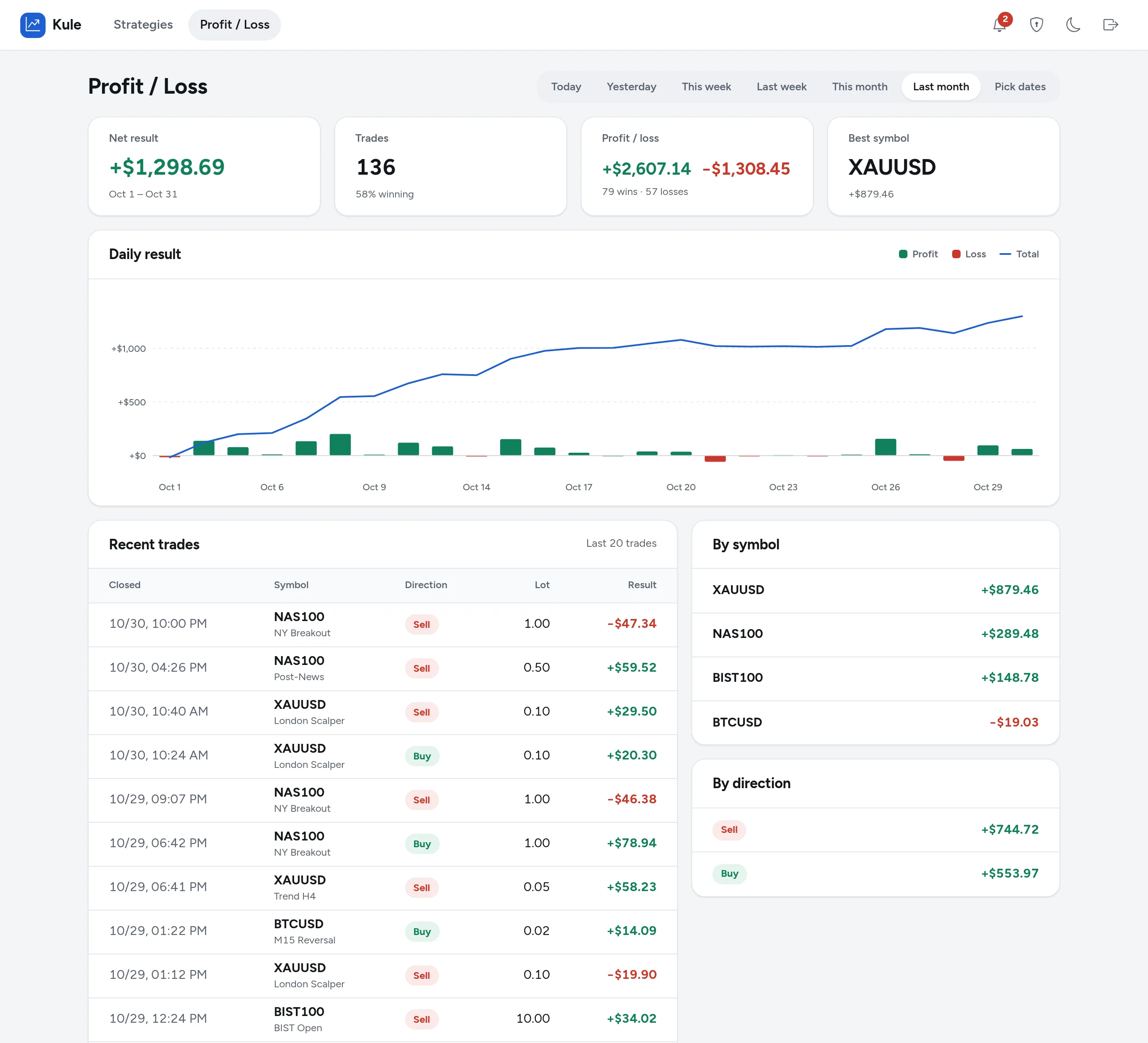
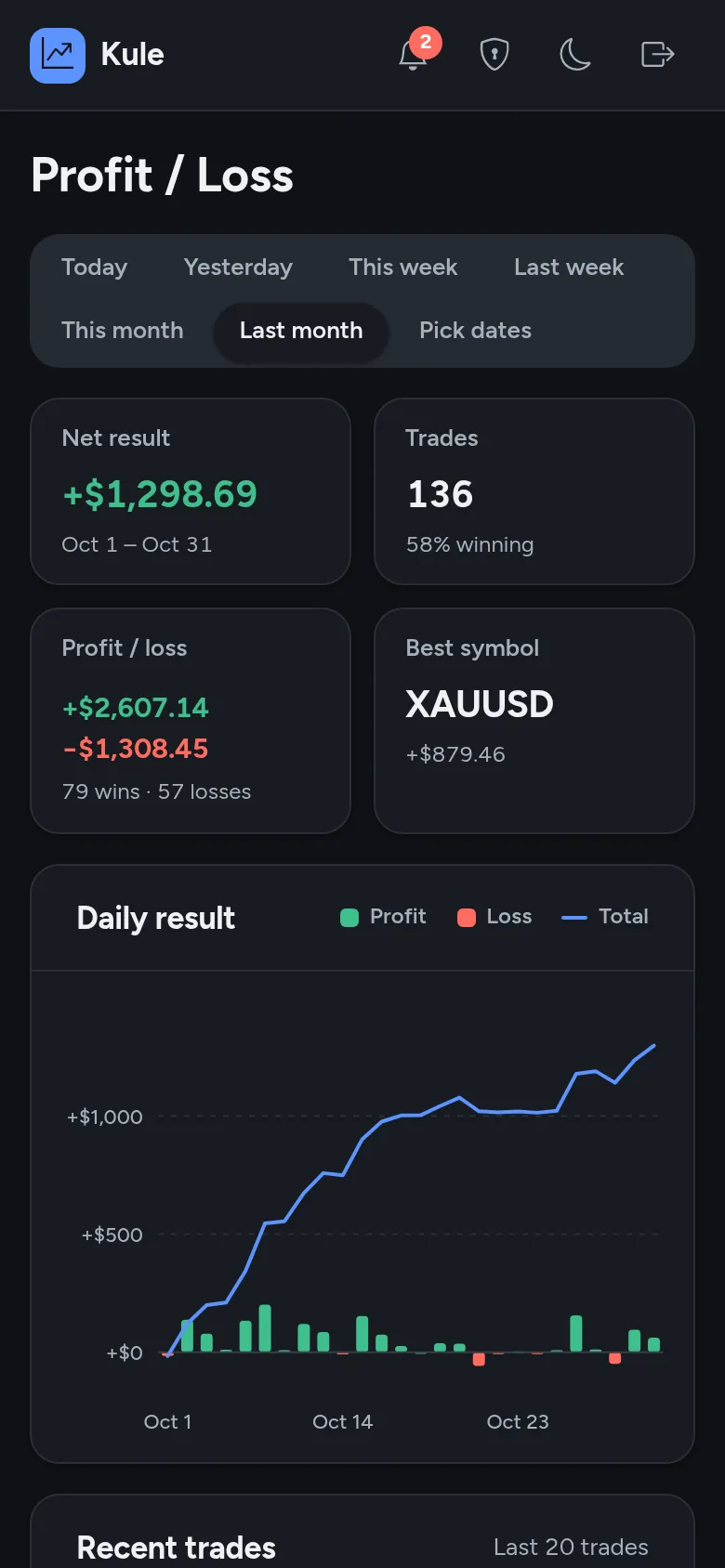
The Profit / Loss screen with sample data. Periods: today, yesterday, this week, last week, this month, last month or any date range. The same report works on your phone in dark mode.
Trade count, win rate, total profit and loss and your best symbol in one row.
Each day's result sits above or below zero; the blue line follows the period total.
The last 20 trades are listed with their strategy name, next to symbol and buy / sell totals.
The platform only sends orders. You never send money to us; it stays in your account at your broker.
Yes. Trades are opened on the MT5 account at your broker. To connect, you need the server name, account number and password.
No. No strategy guarantees profit. Success rates describe past results.
Use the single switch in your panel to pause all copying, or turn strategies off one by one.
After you sign up, an admin activates your subscription. Then you connect MT5 and pick strategies.
When your total profit or loss for the day reaches the limit you set, no new alerts are processed that day.
Signing up takes a few minutes. After approval you pick your strategies.
Already have an account? Log in